
The Pong Game (English instructions at the botton)
Allá por 1980 empezaron a salir los primeros juegos electrónicos tipo Arcade. Este fué uno de los primeros, que se usaba con una rueda giratoria, al estilo de subir el volumen en una radio.
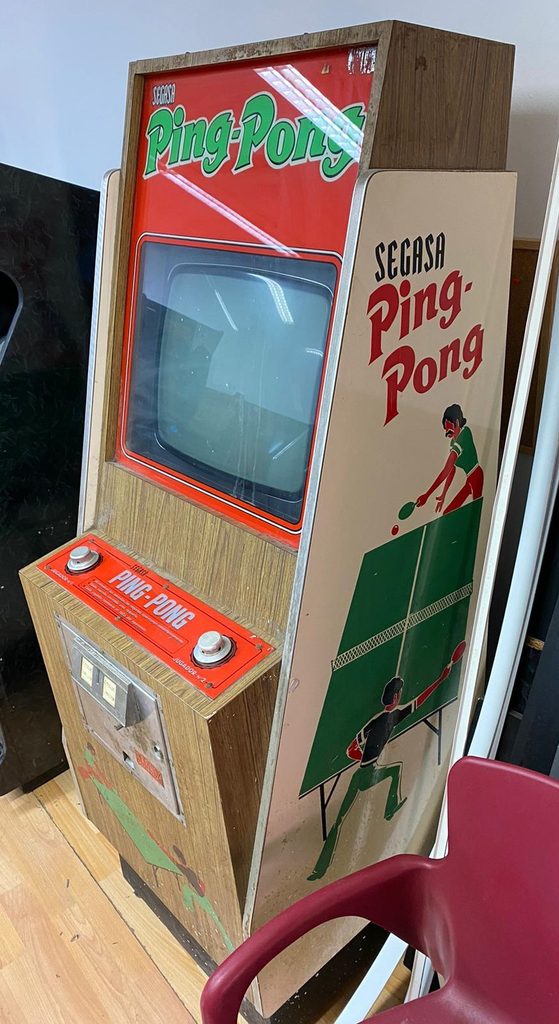
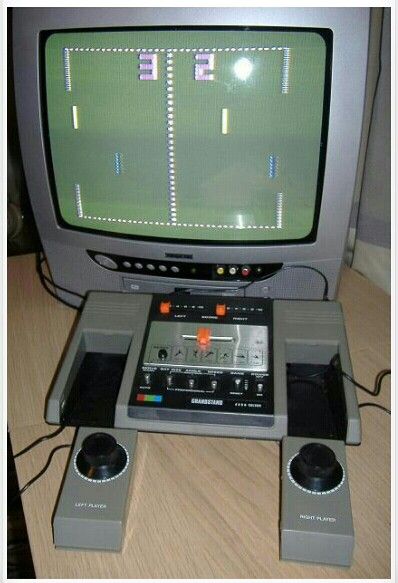
Ahora, con Scratch tenemos la oportunidad de emular a esos primeros informáticos que programaron este videojuego, y crear el nuestro propio.
Es muy interesante, pues trabajamos las coordenadas X e Y en el espacio 2D. Números positivos y negativos. También nos recuerda la formula matemática que
+ x + = + (más por más igual a más)
– x – = + (menos por menos igual a más)
Y que todo número multiplicado por -1 cambia de signo. (2 x -1 = -2) (-2 x -1 = 2)
Aunque no te asustes, no debes ser de secundaria para poder crear este juego, solo con poner el comando adecuado, ya lo tienes hecho.
Y siempre lo podremos adaptar a nuestros gustos y escalarlo en dificultad (o sencillez) lo que queramos.
Como casi siempre, usamos Scratch en inglés, aunque las explicaciones están en español. Hago esto para familiarizar a los alumnos a los lenguajes de programación. ¡Ellos ni se dan cuenta!
Espero que lo disfruteis.
English
Back in 1980, the first arcade-style electronic games started to appear. This was one of the first, operated with a rotary dial, similar to adjusting the volume on a radio.Back in 1980, the first arcade-style electronic games started to appear. This was one of the first, operated with a rotary dial, similar to adjusting the volume on a radio.
Now, with Scratch, we have the opportunity to emulate those early computer programmers who created this video game and create our own.
It’s very interesting, as we work with X and Y coordinates in 2D space, positive and negative numbers. It also reminds us of the mathematical formulas:
- x + = + (plus times plus equals plus)
- x – = + (minus times minus equals plus)
And that any number multiplied by -1 changes its sign. (2 x -1 = -2) (-2 x -1 = 2)
Don’t worry, you don’t need to be a high school student to create this game; just use the right command, and you’re done.
And we can always adapt it to our liking and adjust the difficulty (or ease) as we wish.
I hope you enjoy it.